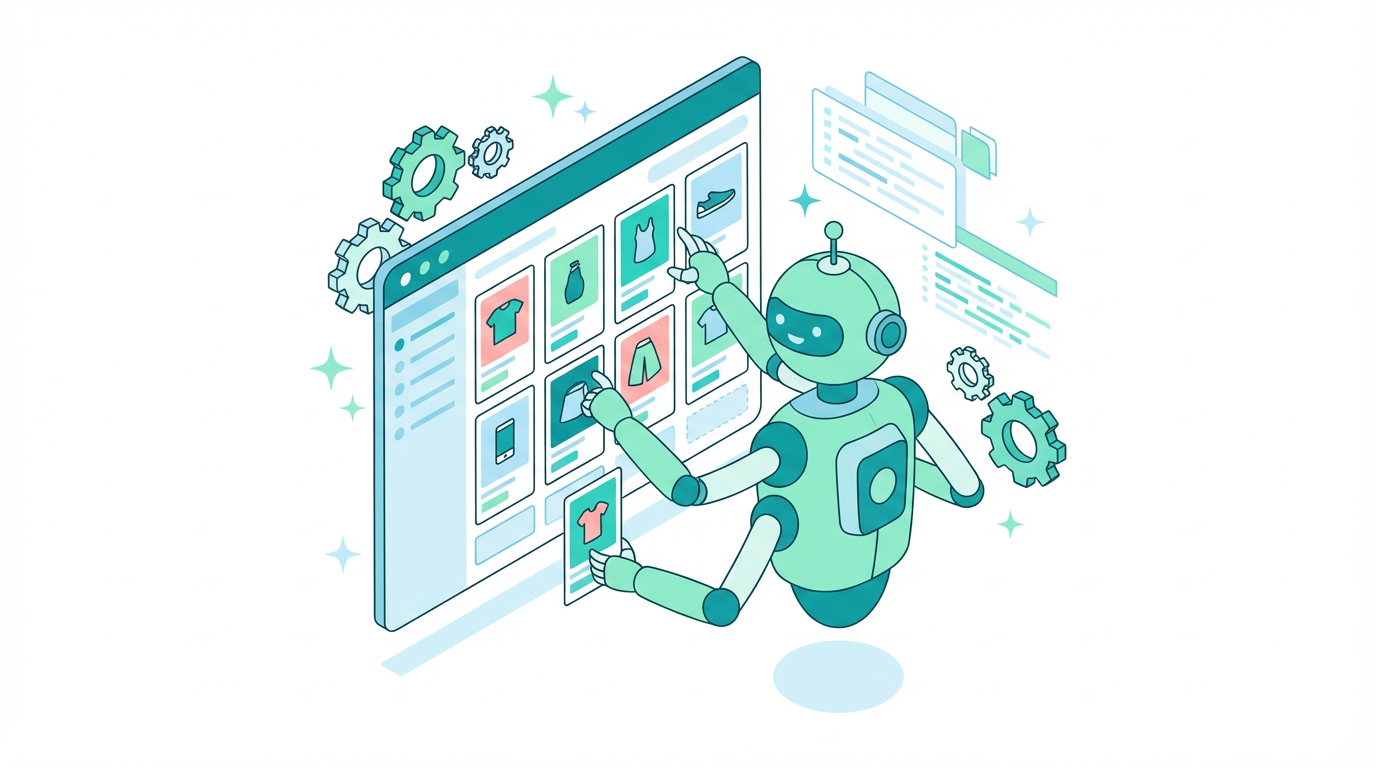
# How to Build a Shopify Store with AI in 2026 (Complete Guide)
Key Takeaways
>
1. AI store builders create complete Shopify stores in under 10 minutes — design, products, and configuration included
2. The AI build is free; Shopify costs $1/month for 3 months, then $39/month (Basic plan)
3. Expect to spend 1-3 hours customizing after AI setup — the builder gives you 70-80% of the work
4. The biggest gap after building: getting customers. Have a marketing plan before you launch
5. LaunchYourStore.co combines AI building with educational guides so you know what to do after launch
TL;DR — Can AI Really Build Your Shopify Store?
Yes. AI can build a complete Shopify store for you in under 10 minutes. Free AI store builders like LaunchYourStore.co generate a fully designed store with AI-curated products, professional themes, and SEO-ready product descriptions. You still need a Shopify subscription ($39/month after the free trial) and should customize your store's branding, set up payments, and plan your marketing. The AI gives you a 70-80% head start — you handle the final touches and business strategy.
Here is a quick breakdown of what AI handles versus what you still need to do:
| AI Handles For You | You Handle Yourself |
|---|---|
| Store design and theme | Your logo and brand identity |
| Product selection and importing | Payment gateway setup |
| Product descriptions and SEO metadata | Shipping rates and policies |
| Basic store configuration | Marketing and traffic |
| Banner and layout design | Legal pages (privacy, terms, refunds) |
If you have been wondering whether AI store builders are legit or just hype — they are real, they work, and they are free. The catch? There is no catch on the builder side. You will need a Shopify plan to actually run your store, and you will need to put in work after the AI builds it. But the days of staring at a blank Shopify dashboard wondering where to start are over.
Ready to try it? Build your free AI store now — it takes about 5 minutes.
>
What AI Store Builders Actually Do (and Don't Do)
Before you jump in, you should understand exactly what you are getting. AI store builders have come a long way in 2026, but they are not magic. Here is an honest breakdown.
What AI Handles for You
Store design and theme setup. AI picks a professional-looking theme that fits your niche. A pet store gets a different look than a tech gadgets store. Colors, layout, fonts — the AI makes these decisions based on what works for your product category.
Product selection and importing. This is where AI saves you the most time. Instead of spending hours browsing suppliers, the AI selects products that match your niche and have strong sales potential. For more on this, read our guide on how to find winning products on Shopify.
Product descriptions and SEO metadata. Every product gets a description, title tag, and meta description. They are not perfect — you should customize them later — but they give you a working foundation instead of blank fields.
Basic store configuration. Navigation menus, collection pages, homepage layout. The structural pieces that take beginners hours to figure out on their own.
What You Still Need to Do Yourself
Shopify account and billing. No AI builder can create a Shopify account for you. You sign up, pick your plan, and handle billing. Shopify currently offers a $1/month introductory price for the first 3 months, then it is $39/month for the Basic plan.
Payment gateway setup. You need to connect Shopify Payments, PayPal, or another payment processor. This takes 10-15 minutes but requires your own banking details.
Shipping configuration. Shipping rates, zones, and policies. If you are dropshipping, your supplier handles fulfillment, but you still need to set customer-facing shipping expectations.
Marketing and driving traffic. This is the big one. Building a store and getting customers are two completely different skills. We will cover this in the "What to Do After" section below.
Legal pages. Privacy policy, terms of service, refund policy. Shopify has templates, but you need to customize them for your business.
The Honest Truth About AI-Built Stores
AI gives you a 70-80% head start, not a finished business. Think of it like moving into a furnished apartment versus an empty one. The furniture is there, but you still need to hang your pictures, stock the fridge, and tell people your new address.
The real value of AI store building is speed and eliminating the blank-canvas problem. Instead of spending a weekend watching YouTube tutorials on how to set up your first Shopify store, you get a working store in minutes. Then you spend your time on the things that actually matter — branding, products, and marketing.
That said, if you expect to press a button and wake up to sales, you will be disappointed. Every successful store requires human effort after the AI build. The builders that are honest about this (rather than promising overnight riches) are the ones worth using.
Step-by-Step: Building Your AI Shopify Store with LaunchYourStore
We are going to walk through the actual process of building a store with LaunchYourStore.co. This is not a theoretical overview — this is what happens when you use the builder.
Step 1: Choose Your Niche
Start at launchyourstore.co/builder/pick-a-niche. You will see niche options including Fashion, Pets, Tech, Home, and Health.
Picking the right niche matters more than most beginners realize. Niche-specific stores consistently outperform general stores because they build trust with a specific audience. A store called "Pet Paradise" that sells only pet products feels more credible than "Mike's Everything Store" that sells phone cases and dog beds.
How to validate your niche before committing:
- Check demand. Search your niche on Google Trends. Is interest stable or growing?
- Check competition. Google your niche + "Shopify store." If the first page is all massive brands, consider a sub-niche.
- Check your interest. You will be writing social media posts and answering customer questions about these products. Pick something you can stay interested in.
- Check margins. Some niches (like fashion accessories) have better margins than others (like electronics). Higher margins mean fewer sales needed to be profitable.
Our AI considers market demand data when presenting niche options, so you are starting with categories that have proven buyer intent.
Step 2: Let AI Design Your Store
Once you pick your niche, the AI generates a complete store design. This includes:
- Banner images that match your niche (you will choose from options)
- Color scheme appropriate for your product category
- Homepage layout with featured products, collections, and trust elements
- Navigation structure that makes sense for your product type
The AI considers your niche when making design decisions. A health and wellness store gets clean, minimal design with calming colors. A tech gadgets store gets a modern, bold layout. This is not random — it is based on what converts in each category.
What the difference looks like: A blank Shopify account gives you a generic theme with placeholder text everywhere. An AI-built store gives you a designed, populated storefront that looks like someone spent a weekend setting it up.
Step 3: AI Product Selection
This is where AI saves you the most time. The builder selects products that match your niche based on:
- Sales velocity — products that are actually selling, not just listed
- Margin potential — enough room between cost and retail price
- Niche relevance — products that belong together in a cohesive store
- Supplier reliability — sourced from established suppliers
Each product comes with a title, description, images, and pricing already set up.
How many products to start with: Less is more. Starting with 15-25 well-curated products beats 200 random ones. A focused product catalog is easier to market, easier to manage, and converts better. You can always add more later. Check out our winning products guide for more on product selection strategy.
Step 4: Connect to Shopify
Now you create your actual Shopify account. Here is the real cost breakdown:
| Period | Cost |
|---|---|
| First 3 months | **$1/month** (introductory offer) |
| Month 4 onward | **$39/month** (Basic plan) |
| Custom domain | **$14-20/year** (optional but recommended) |
| **Total Year 1** | **~$370-400** |
That is the full picture. The AI builder is free. Shopify is not free, and anyone who tells you otherwise is being misleading. But $1/month for 3 months gives you time to test whether your store concept works before committing to the full price.
Need a store name? Try our free Shopify name generator before you create your account.
To create your Shopify account:
- Sign up at Shopify.com (the builder will guide you)
- Pick the Basic plan ($1/month for the first 3 months)
- You can skip most of the Shopify onboarding wizard — your AI-built store handles it
Step 5: Customize and Launch
Your AI store is now connected to Shopify. Before going live, handle these essentials:
Must-do before launch:
- [ ] Add your logo (use Canva if you do not have one — it is free)
- [ ] Adjust brand colors to match your logo
- [ ] Write a personal About page (AI can draft one, but make it genuinely yours)
- [ ] Set up Shopify Payments or PayPal
- [ ] Configure shipping rates
- [ ] Add privacy policy, terms of service, and refund policy (use Shopify's templates as a starting point)
- [ ] Test your checkout with a test order
- [ ] Check how your store looks on mobile
Nice-to-do in the first week:
- [ ] Install essential apps (see our best free Shopify apps guide)
- [ ] Set up Google Analytics and Facebook Pixel
- [ ] Create your first social media accounts for the store
- [ ] Write 2-3 blog posts for initial SEO (read our Shopify SEO guide)
How Long Does It Take? Realistic Timeline
| Phase | Time |
|---|---|
| AI store build | **5-10 minutes** |
| Account setup and connection | **15-20 minutes** |
| Essential customizations | **1-3 hours** |
| Ready to accept orders | **Same day** |
| Feeling confident about your store | **3-7 days** of tweaking |
That is not a marketing claim — it is a realistic timeline. The AI build is genuinely fast. The customization is where you spend your time, and that is time well spent because it is what makes your store uniquely yours.
Try the AI builder yourself — build your free store in 5 minutes. Pick a niche, and the AI handles the rest.
>
Best AI Shopify Store Builders Compared (2026)
You have options when it comes to AI store builders. Here is an honest comparison of the top tools available in 2026.
LaunchYourStore: AI Building + Education (Our Pick)
Yes, this is our product. Here is what it does and does not do:
Strengths:
- Complete store generation (design, products, configuration) in minutes
- AI-curated product selection matched to your niche
- Free with no hidden costs or upsells
- Paired with educational content — guides on SEO, dropshipping, apps, and marketing so you know what to do after building
- Transparent affiliate model (we earn from Shopify referrals, not from you)
Limitations:
- Requires a separate Shopify subscription
- Limited niche options compared to building from scratch
- You will need to customize after the AI build
Best for: Beginners who want a free store AND guidance on what to do next. If you are brand new to e-commerce, the combination of AI building and educational resources matters.
Price: Free (Shopify subscription required separately)
BuildYourStore.ai: Speed-First Approach
Backed by AutoDS with a 4.3 Trustpilot rating. They have been in the space since 2024 and have a large user base.
Strengths:
- Fast store generation
- Pre-loaded with 10 winning products
- Free .store domain included (first year)
- Strong social proof and influencer endorsements
- Suite of 8 free tools (profit calculator, name generator, etc.)
Limitations:
- $97 Pro Plan upsell after the free build
- Domain renewal fees (~$5/month) after the first free year
- Heavy urgency tactics ("Only 9 stores left!") — which is a red flag, not a real limitation
- Educational content is limited compared to depth needed
Best for: Dropshippers who want maximum speed and do not mind upsells.
Price: Free to start, but watch for the $97 Pro Plan and ongoing domain costs.
Shopify Magic and Sidekick: Built-in AI
Shopify launched its own AI tools starting in 2024. Shopify Magic handles specific tasks like writing product descriptions, and Sidekick is a chat-based assistant for store management.
Strengths:
- Built directly into Shopify — no third-party needed
- Excellent for product descriptions and content generation
- Sidekick can answer Shopify-specific questions in real time
- Continuously improving with Shopify's AI investment
Limitations:
- Does not build a complete store from scratch — assists with individual tasks
- No AI product selection or sourcing
- You still start with a blank theme and empty product catalog
- Requires an existing Shopify subscription
Best for: People already on Shopify who want AI assistance with specific tasks, not a full store build.
Price: Included with any Shopify plan (no extra cost)
Other Notable Options
LaunchYour.store — Similar concept (and similar name) to LaunchYourStore.co. Offers store building plus store duplication features. Minimal educational content.
10Web — AI website builder that supports Shopify integration but focuses more broadly on WordPress and general websites. Not Shopify-specific.
We focused this comparison on the top three because they represent different approaches: full build + education (LaunchYourStore), speed-first (BuildYourStore.ai), and native AI tools (Shopify Magic). For a deeper breakdown, read our full 3-way comparison of AI store builders.
Comparison Table
| Feature | LaunchYourStore | BuildYourStore.ai | Shopify Magic |
|---|---|---|---|
| Full store generation | Yes | Yes | No (assists, does not build) |
| AI product selection | AI-curated | AI-curated (10 products) | No |
| Store design | AI-generated | AI-generated | Theme suggestions only |
| Educational content | Yes (guides, blog, SEO resources) | Limited | Shopify Help Center |
| Hidden costs | None | $97 Pro Plan, domain fees | None (part of Shopify) |
| Best for | Beginners wanting guidance | Speed-focused dropshippers | Existing Shopify users |
| Requires Shopify plan | Yes | Yes | Yes (already included) |
| Free tools | Name generator | 8 tools (calculator, etc.) | Built into dashboard |
For a deeper comparison of these builders, read our detailed AI store builder comparison.
What to Do After AI Builds Your Store
This is the section that nobody else writes. Every article about AI store building covers the build. Almost none of them cover what happens next — and that is where most new store owners get stuck.
"I built the store, now what?" is the most common question on Reddit after someone uses an AI builder. Here is your answer.
Essential Customizations (First 24 Hours)
Add your logo and brand colors. Your AI-built store looks professional, but it looks generic. A custom logo (even a simple text logo from Canva) and consistent brand colors immediately set you apart from the thousands of other AI-built stores in your niche.
Write a real About page. AI can draft one, but customers can smell a generic About page from a mile away. Write 3-4 paragraphs about why you started this store, what you care about, and why customers should trust you. Be a real person, not a brand voice.
Set up payment processing. Shopify Payments is the easiest option (no extra transaction fees). You can also add PayPal as a secondary option. This takes 10-15 minutes with your bank details handy.
Configure shipping rates. If you are dropshipping, set realistic delivery expectations. Do not promise 3-day shipping if your supplier ships from overseas. Honesty here saves you negative reviews later.
Add legal pages. Go to Settings > Legal in Shopify. They have templates for privacy policy, terms of service, and refund policy. Customize them with your store name and specific policies. This is not optional — it is legally required in most countries.
Getting Your First Customers
Building the store was the easy part. Here is how you actually get people to visit it.
Free traffic strategies:
- Social media content. Create accounts on Instagram, TikTok, or Pinterest (pick 1-2 platforms, not all of them). Post product content, behind-the-scenes, and niche-relevant content. Consistency matters more than perfection.
- Basic SEO. Optimize your product titles and descriptions for search. Write blog posts targeting questions your audience asks. Read our complete Shopify SEO guide for a step-by-step walkthrough.
- Online communities. Join Reddit communities, Facebook groups, and forums in your niche. Be helpful first, promotional second. Build trust before you share your store link.
Paid advertising primer:
- Start with a small test budget: $20-50 to validate your ads
- Facebook/Instagram ads are still the go-to for most e-commerce niches
- Test 2-3 products with simple ads before scaling
- Do not throw money at ads until your store is fully customized and your checkout works
Why content marketing matters from day one. Every blog post you write is a long-term investment in free traffic. A post about "best gifts for dog lovers" can drive traffic to your pet store for years. Start with 2-3 posts targeting questions your ideal customers are searching for. Our guide on email marketing for e-commerce covers how to build an audience that comes back.
Apps You Need to Install
You do not need 20 apps on day one. You need 5 that actually matter:
- Email marketing app (Klaviyo or Mailchimp) — start collecting emails immediately
- Reviews app (Judge.me or Loox) — social proof drives conversions
- SEO app (plug-in SEO or Smart SEO) — automated SEO checks
- Analytics (Google Analytics via the Shopify integration) — track what is working
- Page builder (if you want more design control) — GemPages or Shogun
For a complete breakdown with recommendations, read our guide to the best free Shopify apps.
Common Mistakes to Avoid
Launching without testing your checkout. Place a test order. Go through every step. Make sure payment works, confirmation emails send, and the order appears in your dashboard. Broken checkouts kill stores before they start.
Skipping mobile optimization. Over 70% of e-commerce traffic is mobile. View your store on your phone. Click every button. If anything is hard to tap or hard to read, fix it before launch.
Not setting up analytics. If you do not track visitors, you are flying blind. Install Google Analytics and the Facebook Pixel before you launch. You will need this data when you start running ads.
Choosing too many products. A store with 200 products and no traffic is just a big catalog nobody sees. Start with 15-25 products, get traffic flowing, and add more based on what sells.
Ignoring SEO from the start. Every day without SEO is a day of lost future traffic. Product titles, descriptions, blog posts — optimize them from day one. It compounds over time.
Don't have a store yet? Build one free in 5 minutes and come back to this checklist when your store is ready.
>
AI Store Building vs Manual Setup: Which Is Better?
This is not a black-and-white question. Both approaches have their place. Here is when each one wins.
Detailed Comparison
| Criteria | AI Store Builder | Manual Shopify Setup |
|---|---|---|
| **Time to launch** | 5-10 minutes (build) + 1-3 hours (customize) | 8-20+ hours |
| **Cost** | Free (+ Shopify plan) | Free (+ Shopify plan, same cost) |
| **Design quality** | Good — professional templates, niche-appropriate | Varies — depends entirely on your skills |
| **Product selection** | AI-curated, data-driven | Manual research required (hours of work) |
| **Customization** | Moderate — you customize after AI builds | Full control from the start |
| **Learning curve** | Very low — choose a niche and go | Moderate to steep for beginners |
| **Uniqueness** | Lower initially — requires customization to stand out | Higher — you design everything yourself |
| **Best for** | Beginners, speed-to-market, idea testing | Established brands, specific design needs |
When Manual Setup Makes More Sense
If you have an existing brand with specific design requirements, a manual build gives you full control from pixel one. Brands with custom photography, established color palettes, and specific UX requirements will find AI-built stores too restrictive.
If you are building a high-end brand (luxury products, custom designs), the generic look of AI-built stores works against you. Your customers expect a bespoke experience, and AI templates do not deliver that yet.
If you already know Shopify well, the AI builder is solving a problem you do not have. You are better off starting from scratch with a premium theme.
When AI Is the Clear Winner
Testing a business idea. If you are not sure whether your niche will work, spending 10 minutes with AI beats spending a weekend on manual setup. Test the idea, see if products sell, then invest more time in customization.
Absolute beginners. If you have never built a website and the Shopify dashboard intimidates you, AI eliminates the blank-canvas problem. You start with something real instead of an empty store.
Speed-to-market. Seasonal trends, trending products, time-sensitive niches — sometimes being first matters more than being perfect. An AI-built store launched today beats a hand-crafted store launched next month.
Budget constraints. When you cannot afford a Shopify expert ($500-2,000+) or a premium theme ($150-350), AI gives you professional results for free.
The honest answer? Most beginners should start with AI and customize from there. You get to market faster, learn by doing, and avoid the paralysis of starting from zero. You can always rebuild later once you know what you want.
The Future of AI in E-commerce
AI store building is just the beginning. Here is where things are heading in 2026 and beyond.
AI product photography is already replacing traditional product shoots for many dropshippers. Tools can now generate lifestyle images, remove backgrounds, and create product mockups that look professional. This means less reliance on supplier photos.
AI copywriting has matured beyond basic product descriptions. AI can now write entire marketing campaigns, email sequences, and ad copy tailored to your specific products and audience. Shopify Magic is already doing this natively.
AI customer service via chatbots handles the majority of common customer questions (shipping status, return policies, product questions) without human intervention. For small stores without a support team, this is transformative.
AI-powered personalization adjusts what products each visitor sees based on their browsing behavior, location, and purchase history. This used to be enterprise-only technology. It is rapidly becoming accessible to stores of all sizes.
Shopify's AI roadmap continues to expand. Sidekick is becoming more capable as a store management assistant, and Shopify is investing heavily in AI-powered analytics and recommendations. The platform is betting big on AI making e-commerce accessible to everyone.
Why this matters to you right now: Learning to use AI tools today gives you an edge. As these tools become more powerful, the store owners who already know how to work with AI will adapt faster than those starting from zero. Building an AI-powered store is not just about today — it is about building the skills for tomorrow's e-commerce landscape.
Start building your free AI Shopify store. Pick a niche and let AI build your store — you will have a complete store in minutes, not weeks.
>
FAQ: AI Shopify Store Building
Can AI build a complete Shopify store for free?
Yes. AI builders like LaunchYourStore generate full stores at no cost. They earn affiliate commissions from Shopify, so the builder is genuinely free. You will need a Shopify plan ($39/month after the trial) to run your store.
How long does it take AI to build a Shopify store?
The AI build takes 5-10 minutes. Budget another 1-3 hours for customization (logo, branding, payment setup). You can realistically go from zero to a live store in a single afternoon.
Will my AI-built store look like everyone else's?
AI-built stores use templates, so customization is important. Change your logo, brand colors, product images, and About page to make it unique. The AI gives you a professional starting point — personalization makes it yours.
What is the total cost of an AI-built Shopify store?
The AI builder is free. Shopify costs $1/month for the first 3 months, then $39/month (Basic plan). A custom domain is $14-20/year. Total first-year cost: approximately $370-400, mostly from the Shopify subscription.
Do I need technical skills to use an AI store builder?
No. AI store builders are designed for complete beginners. You choose a niche, and AI handles design, product selection, and setup. Basic computer skills and the ability to follow step-by-step instructions are all you need.
What should I do after AI builds my Shopify store?
Add your logo and brand colors, set up payment processing, configure shipping, add legal pages (privacy policy, refund policy), install essential apps, and create a marketing plan. The AI builds the store — you build the business.
What is the difference between Shopify's AI tools and third-party AI builders?
Shopify Magic and Sidekick help with specific tasks (product descriptions, chat support) within an existing store. Third-party builders like LaunchYourStore create an entire store from scratch — design, products, and configuration — before you even open Shopify.
How do free AI store builders make money?
Most free AI builders earn affiliate commissions from Shopify. When you sign up for a Shopify plan through their link, they receive a referral fee. This is why the builder itself is genuinely free — the business model does not depend on charging you.
Is it worth paying for Shopify if AI built my store?
Yes. The AI builds the storefront, but Shopify is the engine that processes payments, manages orders, handles inventory, and provides analytics. The $39/month covers the infrastructure you need to actually run a business. Think of AI as the decorator and Shopify as the building.
Can AI help me find winning products to sell?
Yes. AI store builders analyze sales data, trends, and market demand to select products with strong selling potential for your chosen niche. For a deeper guide on product research strategies, read our winning products guide.
After AI builds my store, how do I actually get customers?
Start with free channels: social media content (Instagram, TikTok, Pinterest), basic SEO on your product pages, and engaging in online communities related to your niche. When you are ready, test paid ads with a small $20-50 budget. Read our Shopify SEO guide for traffic strategies that do not cost anything.
What is the best AI tool to create a Shopify store in 2026?
It depends on what you need. LaunchYourStore is best for beginners who want free building plus educational resources. BuildYourStore.ai is best for speed-focused dropshippers. Shopify Magic is best if you already have a Shopify account and want AI assistance with specific tasks. See our full comparison for a detailed breakdown.
Start Building
You now know exactly how AI store builders work, what they cost, what they do well, and where they fall short. You know the step-by-step process, you have seen how the top builders compare, and — most importantly — you know what to do after the AI builds your store.
That last part is what separates store owners who make their first sale from those who build a store and never look at it again. The AI handles the hard part of getting started. Your job is everything that comes after: branding, marketing, customers, and growth.
The best time to start is now. Not because of some artificial urgency, but because every day you spend planning is a day you could be learning by doing. An AI-built store gives you something real to work with today instead of a someday plan that never happens.
For more resources to help you along the way, explore our blog for guides on SEO, dropshipping, essential apps, and email marketing.
Build your free AI Shopify store now. Start here — pick a niche and launch in minutes.
>
Ready to Launch Your Store?
Get a FREE AI-built Shopify store with winning products in under 5 minutes.
Frequently Asked Questions
Can AI build a complete Shopify store for free?
How long does it take AI to build a Shopify store?
Will my AI-built store look like everyone else's?
What is the total cost of an AI-built Shopify store?
Do I need technical skills to use an AI store builder?
What should I do after AI builds my Shopify store?
What is the difference between Shopify AI tools and third-party AI builders?
How do free AI store builders make money?
Is it worth paying for Shopify if AI built my store?
Can AI help me find winning products to sell?
After AI builds my store, how do I get customers?
What is the best AI tool to create a Shopify store in 2026?
Content writer at Launch Your Store. Covering Shopify guides, AI store building, and ecommerce strategies for beginners.